Authentication
To interact with the Rest API and MCP Server, you must authenticate every request using a unique API Key. All communication must occur over HTTPS; requests made over plain HTTP will fail.
Getting Started
This key is automatically generated the first time you access the API Integrations section of your OnceHub account. The API key remains valid until you choose to regenerate it or delete your account.
Locating Your API Key
- Log in to your OnceHub account.
- Click the gear icon in the top right corner and select Account Integrations.
- Select the APIs & Webhooks tile.
- Your key is displayed at the top
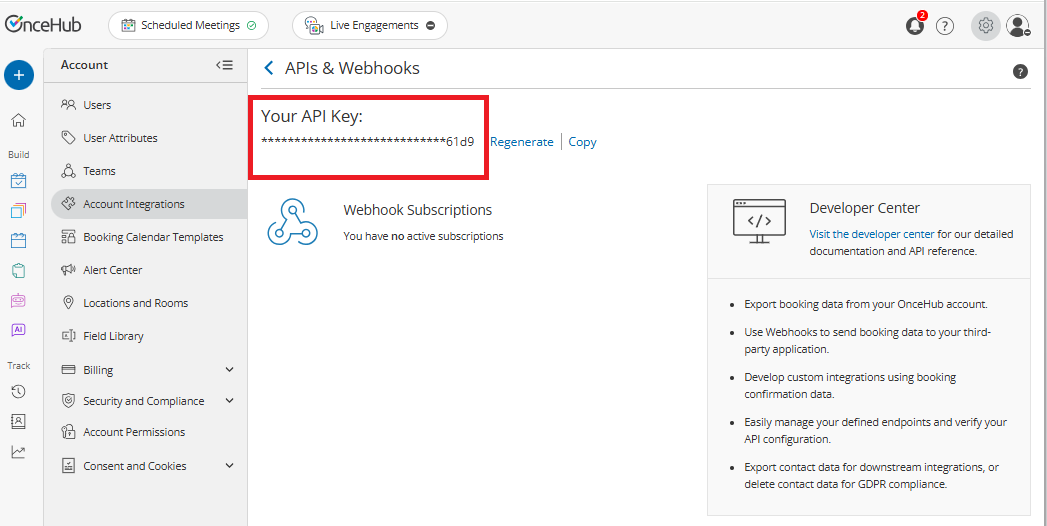
Managing Your Key
You can manage your credentials using the following links located next to your key:
- Copy: Click this to instantly copy your API key to your clipboard for use in your application.
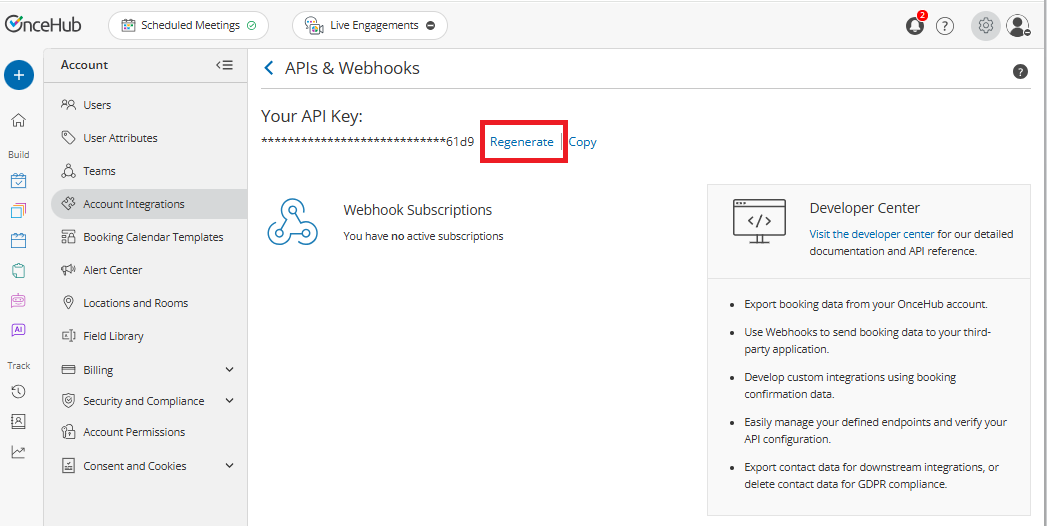
- Regenerate: If you suspect your key has been compromised, click Regenerate to expire your current key and generate a new one for security reasons.
Using your API Key
Include your API key in the API-Key header of every HTTP request. If the key is missing or invalid, the API will return an error response to assist with troubleshooting. Learn more about error responses.
Example Request
GET /bookings HTTP/1.1
Host: api.oncehub.com
API-Key: your-api-key-here
Content-Type: application/json
Testing Your API Key
Once you have your key, test it by making a request to our validation endpoint to confirm your connection is active.
Security Best Practices
Your API key grants significant access to your account data. Protect it by following these standards:
- Server-Side Only: Never expose your API key in client-side code (JavaScript), public GitHub repositories, or mobile app binaries.
- Environment Variables: Store keys in secure environment variables rather than hard-coding them.
- Regular Rotation: Periodically regenerate your key to minimize the impact of potential leaks.