Managing Webhook Subscriptions
Managing Webhook Subscriptions via the API
The Webhook API allows you to create, retrieve, and delete your webhook subscriptions.
Create new webhook subscriptions by sending a POST request to the /webhooks endpoint. The User must specify the name of the webhook subscription; no two webhooks associated with the same account can share the same name. Each webhook is also assigned a unique and secure alphanumeric ID when it is created. Learn more about creating Webhooks via the API
You can retrieve a list of all webhook subscriptions associated with your account by passing a GET request to the /webhooks endpoint. You can also retrieve a single webhook subscription by passing the ID of the desired webhook object. Learn more about retrieving Webhooks via the API
If for some reason you need to delete your webhook subscriptions, you can do so by sending a DELETE request to the /webhooks endpoint, along with the ID of the webhook you wish to delete. Learn more about deleting Webhooks via the API
Managing Webhook Subscriptions via the OnceHub Application
Administrators can create and manage webhook subscriptions through the APIs & Webhooks section of the OnceHub application.
Once created, you can view, manage, or delete these subscriptions directly on the API & Webhooks Integration page.
Create a Webhook
- Click the gear icon (top-right) and select Account Integrations.
- Select the APIs & Webhooks tile.
- In the Webhooks section, click the Create Webhook button.
- In the pop-up, provide the following details:
- Webhook Name: A unique, descriptive name (must contain at least one alphanumeric character).
- Webhook URL: The destination address (must start with
https://).
- Click Next and select the specific events that should trigger the payload.
- Click Create. A Webhook Secret will be displayed. Click Copy & close to save this secret immediately. It is required to verify that the received data is authentic.
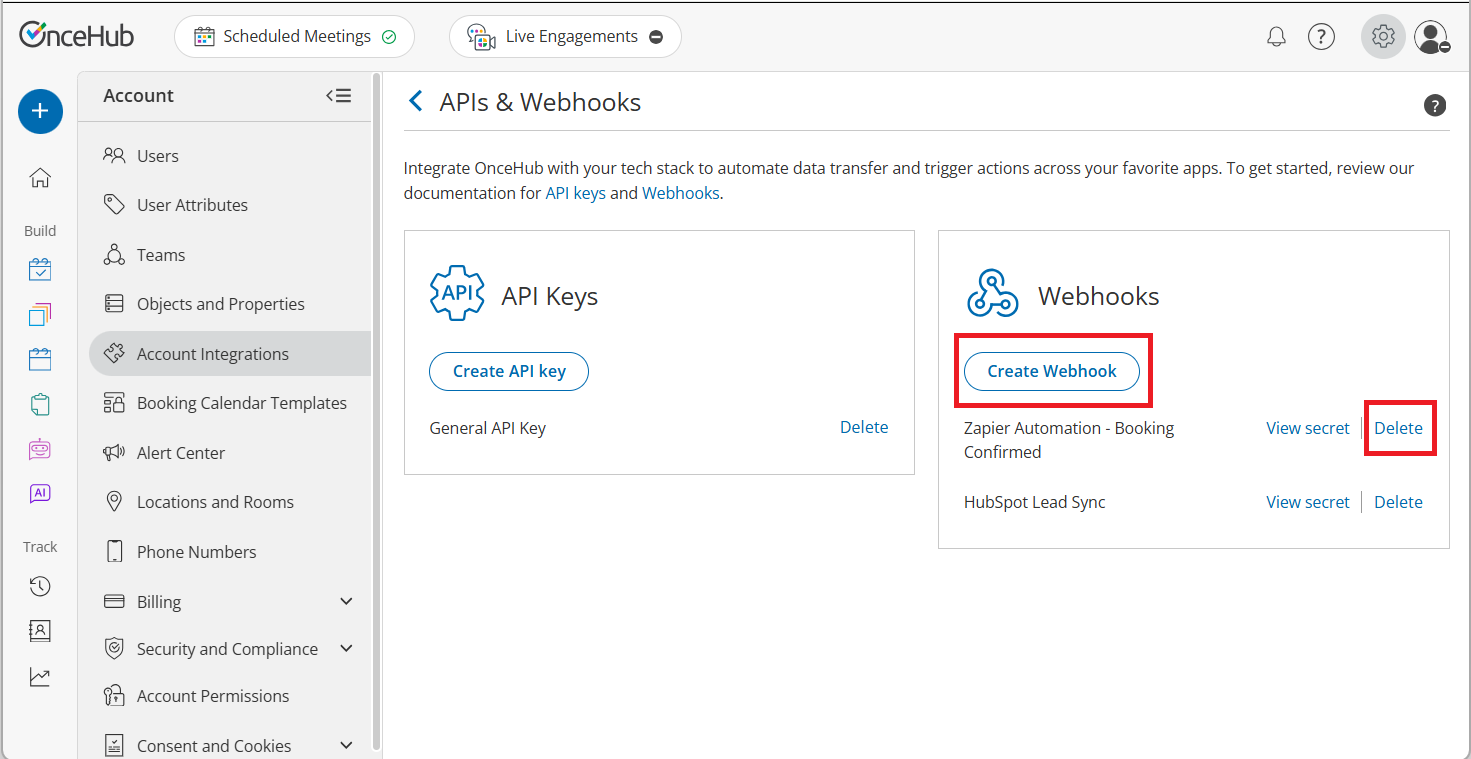 Figure 1: API & Webhooks integration page - Webhook subscription list